Creating a user-centric mobile-first experience that increases trust and credibility in election content
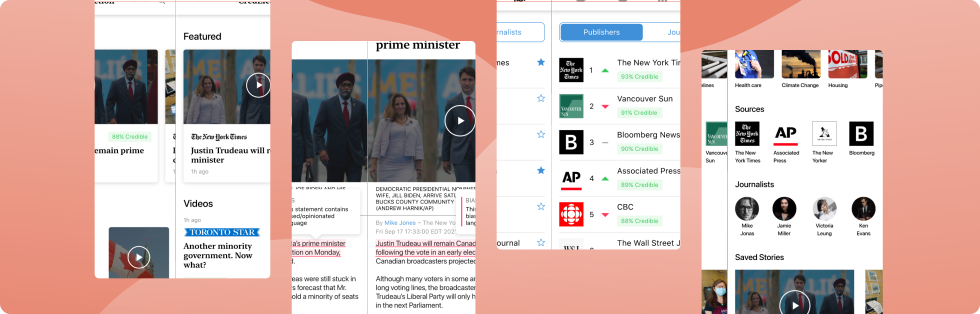
Project context
The Adobe Creative Jam is a design competition that challenges participants to solve a given problem within a set timeframe. Hosted by the New York Times, our challenge was to design a solution that helps users find reliable, credible election content.
Over one week, I worked with another designer to create CredElection, a mobile-first experience built to increase trust in election coverage. We pitched our solution to a panel of industry experts and placed 3rd out of 300+ teams.
Design process
A four-phase process used to explore the problem, define our focus, and develop a solution that addressed real user needs.
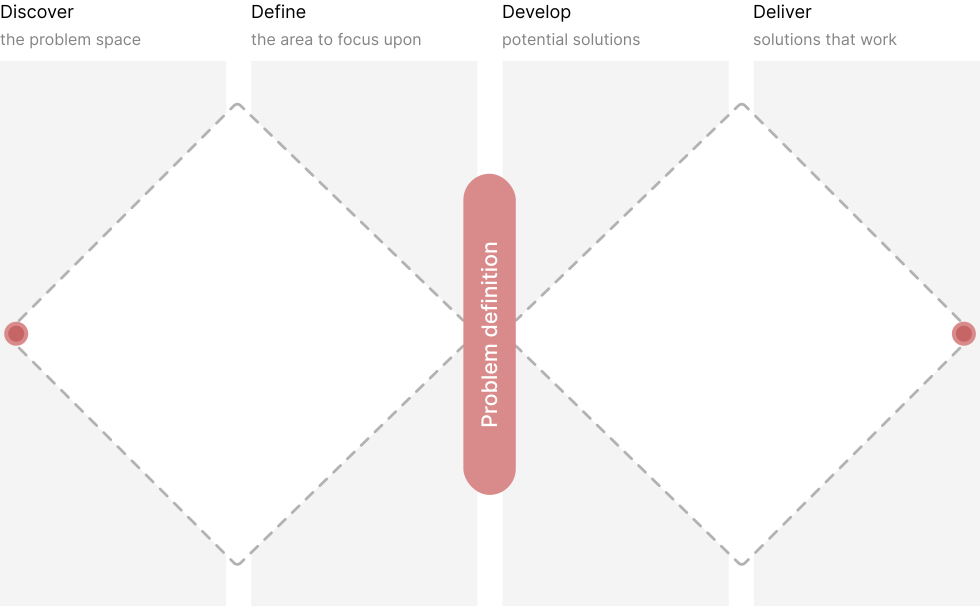
Discover insight into the problem
Research focus: What do readers think about the credibility of news media in the current age?

* Data gathered from an American survey conducted by the Gallup and Knight foundation
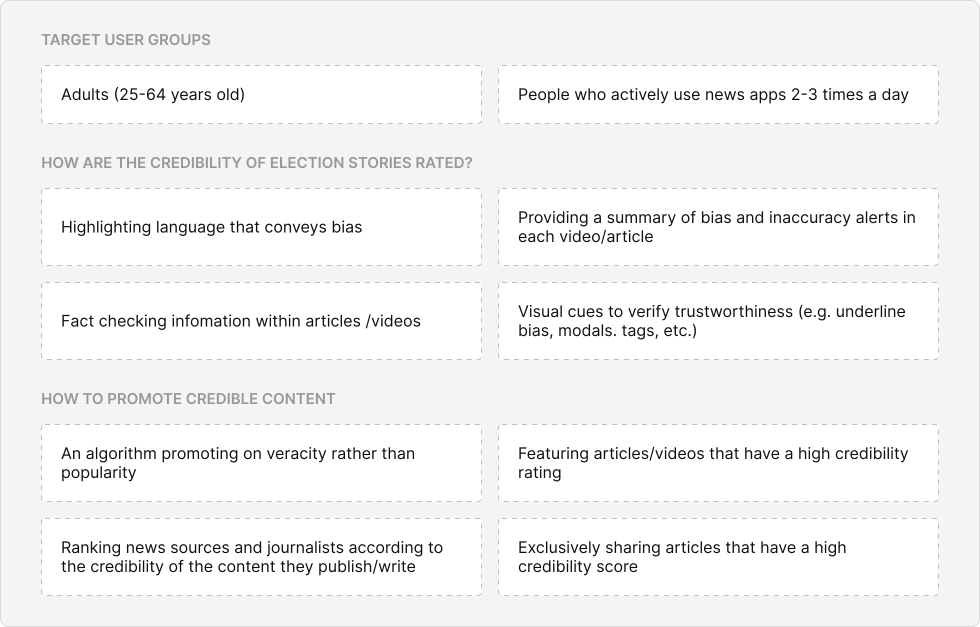
Discover insight into the problem
To narrow down the problem space, we started by learning who our users were, including their goals and frustrations. Research showed that most news app users are male, ages 35–64, with higher education levels, and are typically the main income earner in their household. Based on this, we interviewed people who matched this group to learn more about them.
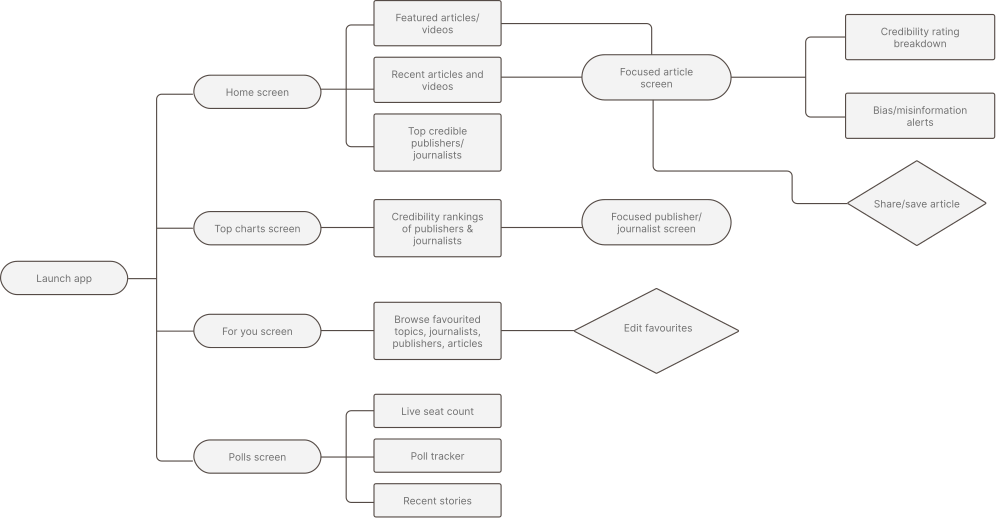
User journey
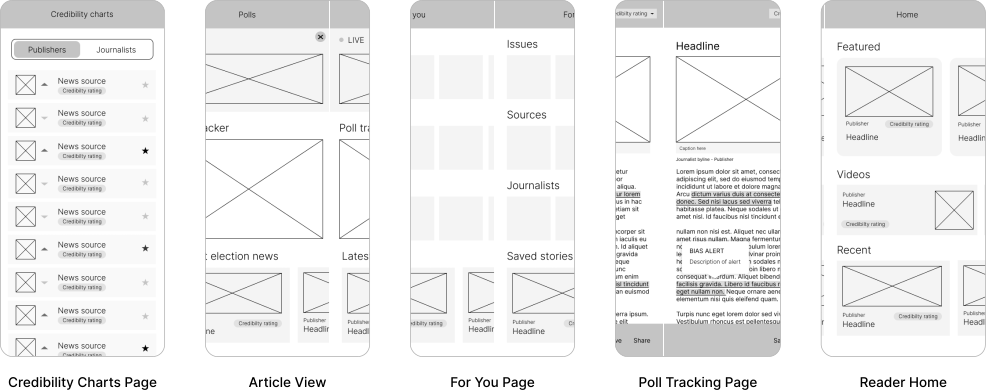
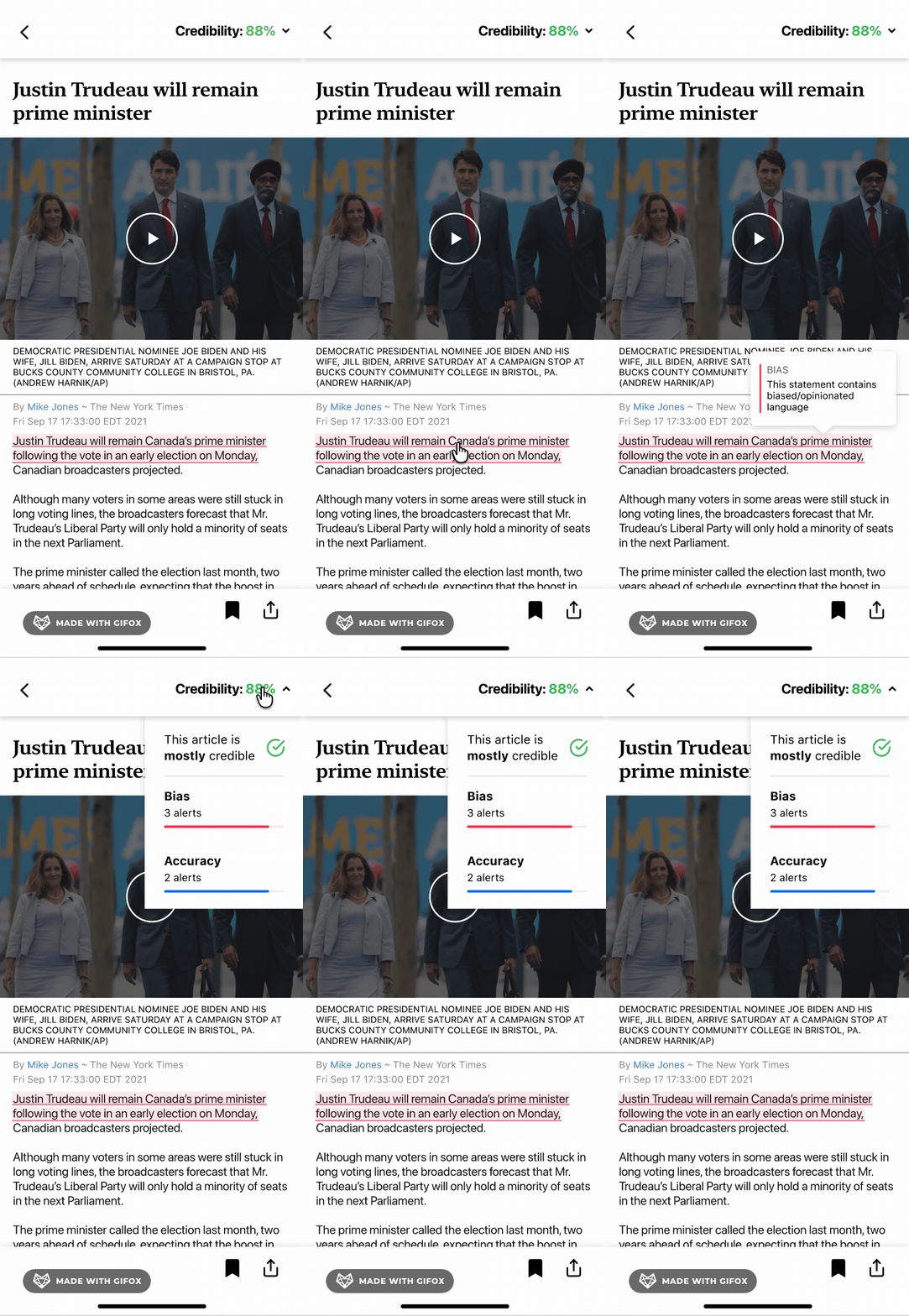
The app opens onto four main screens: Home, Top charts, For you, and Polls. Credibility is built into each path, from rankings of publishers and journalists to ratings, bias alerts, and misinformation flags in the focused article view.
Wireframes
Wireframes for the five core screens set the layout and hierarchy before any visual design. They place credibility ratings and bias alerts alongside the content they describe, rather than behind a separate view.
Final designs
The last step in our process was prototyping. We focused the visual design on simplicity and clarity, ensuring users could navigate the app intuitively. The final prototype can be found here.

Final designs
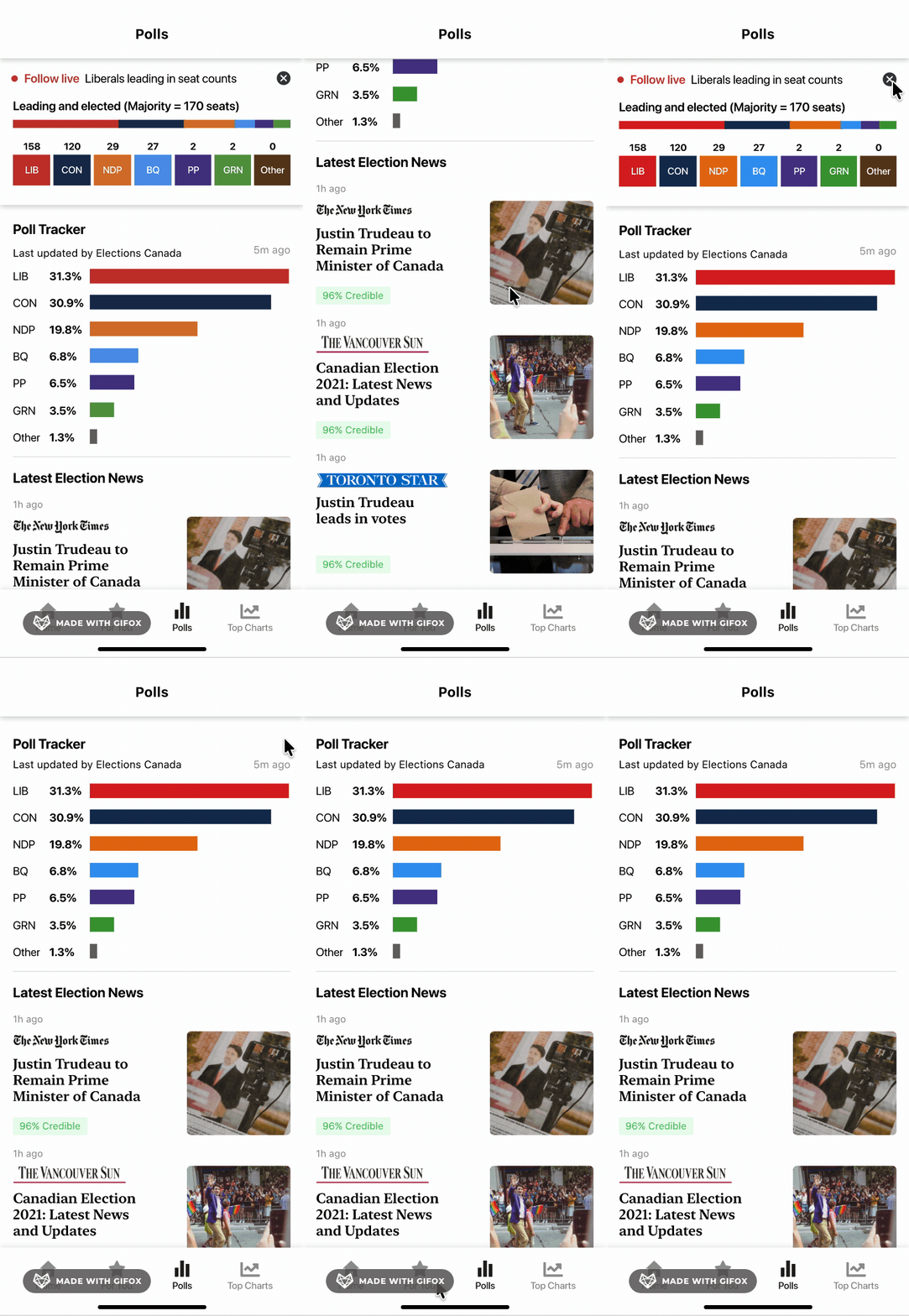
The last step in our process was prototyping. We focused the visual design on simplicity and clarity, ensuring users could navigate the app intuitively. The final prototype can be found here.