Redesigning reward redemption
Project context
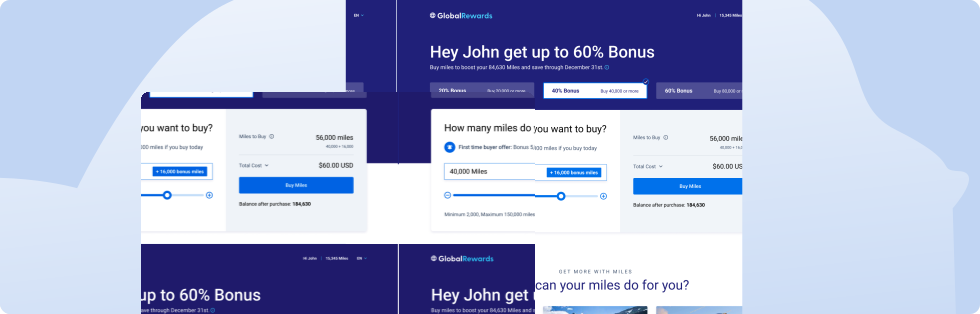
Points is a company that offers digital e-commerce solutions by partnering with the world’s leading loyalty programs, giving customers new ways to use their loyalty currency.
The goal of this project was to redesign the buy and gift experiences for Points’ white-label loyalty storefront to drive customer engagement and attract loyal customers.
Laying out the landscape
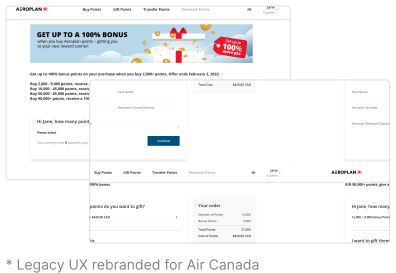
Research into how customers buy, use, and think about points surfaced a clear picture of what drives purchases, who is transacting, and where the current experience falls short. Together, these findings framed the central design question.
Value drives purchases
Customers buy points primarily for a good deal, most often to redeem for flights.
Two distinct user types
Younger members transact out of need, while older members transact for value, shaping how each group engages with the product.
Three key product gaps
Customer dissatisfaction centers on a lack of education on the value of points, an outdated UI, and limited transparency around fees.
“How might I make the experience of buying/gifting points more engaging and navigable for users?”
User journey
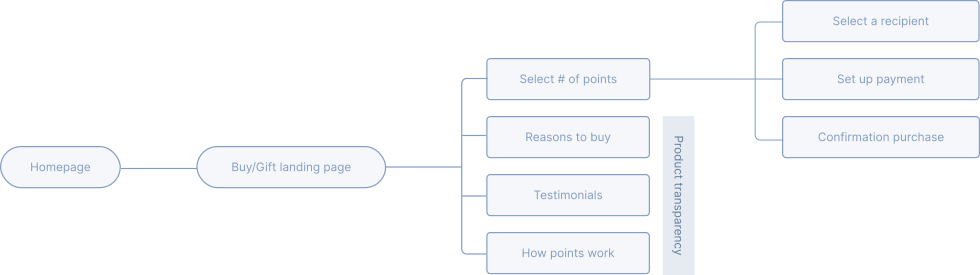
The flow runs from the homepage to a Buy/Gift landing page, then through selecting points, choosing a recipient, setting up payment, and confirming the purchase. Alongside that core path, a set of product transparency touchpoints (reasons to buy, testimonials, and how points work) addresses the education and trust gaps surfaced in the research.
From exploration to decision
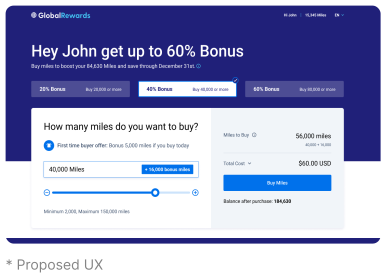
We focused on the hero section, since it’s where customers decide how many points to buy and where the offer is first presented. We explored two directions for the points selector, weighing how engaging each felt against how clearly it surfaced promotions and cost.
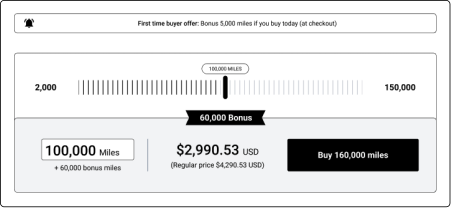
Pros
Slider is an engaging method of user input that makes the user experience more interesting.
Cons
Selecting specific increments on the slider may prove to be difficult; also no promotions displayed.
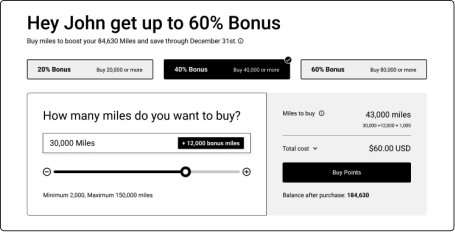
Pros
Personalized user experience; easy to read and select promotions.
Cons
Difficult to distinguish the user input from the order summary section.
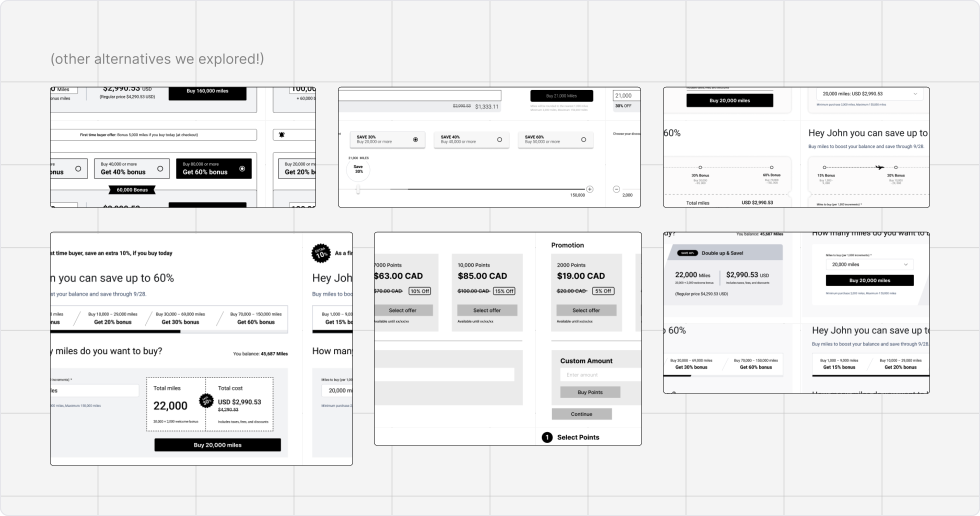
Putting it all together
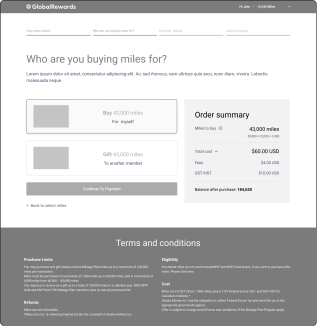
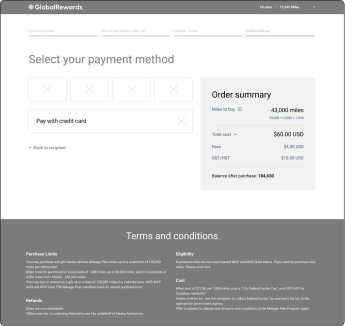
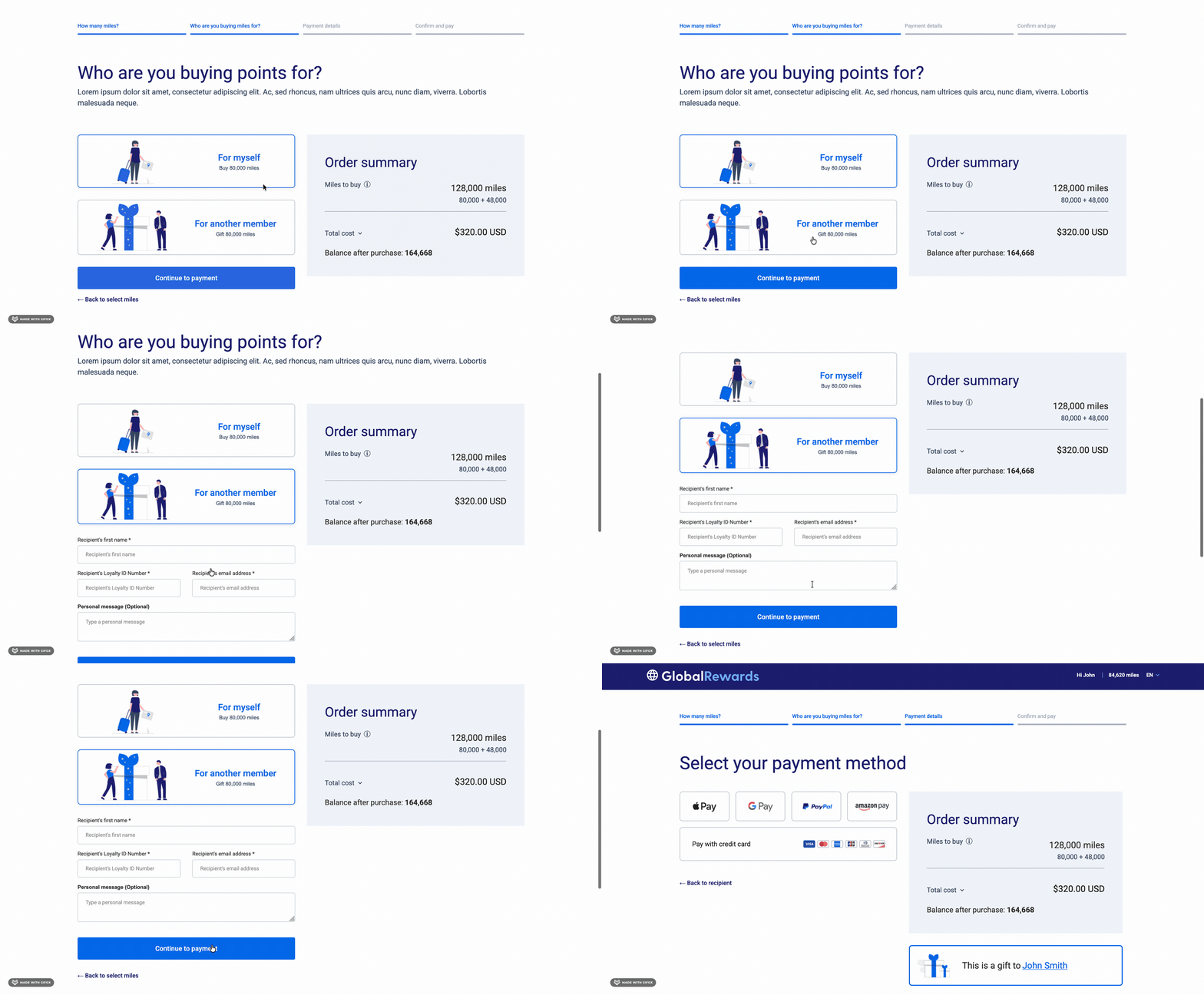
We carried the chosen hero through the full purchase flow, from selecting miles to choosing a recipient and paying. The order summary stays visible throughout, so customers always see what they’re buying and what it costs.
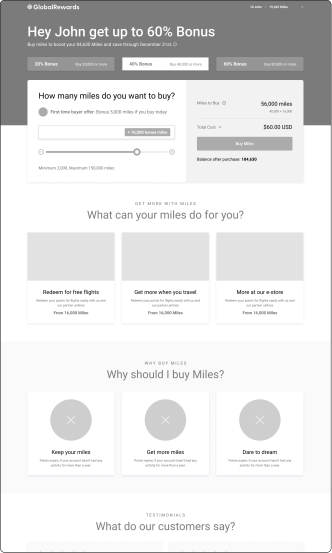
Final designs
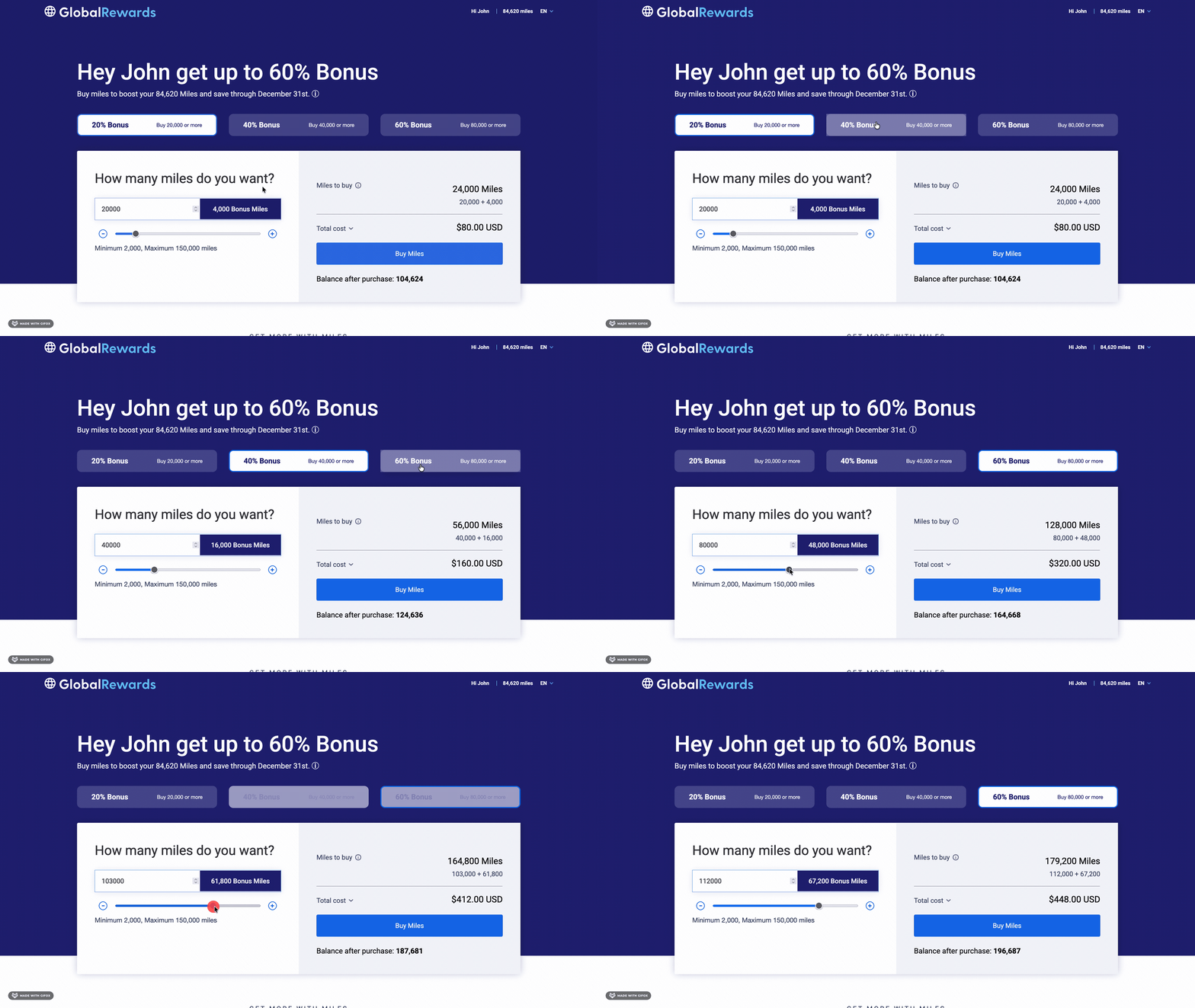
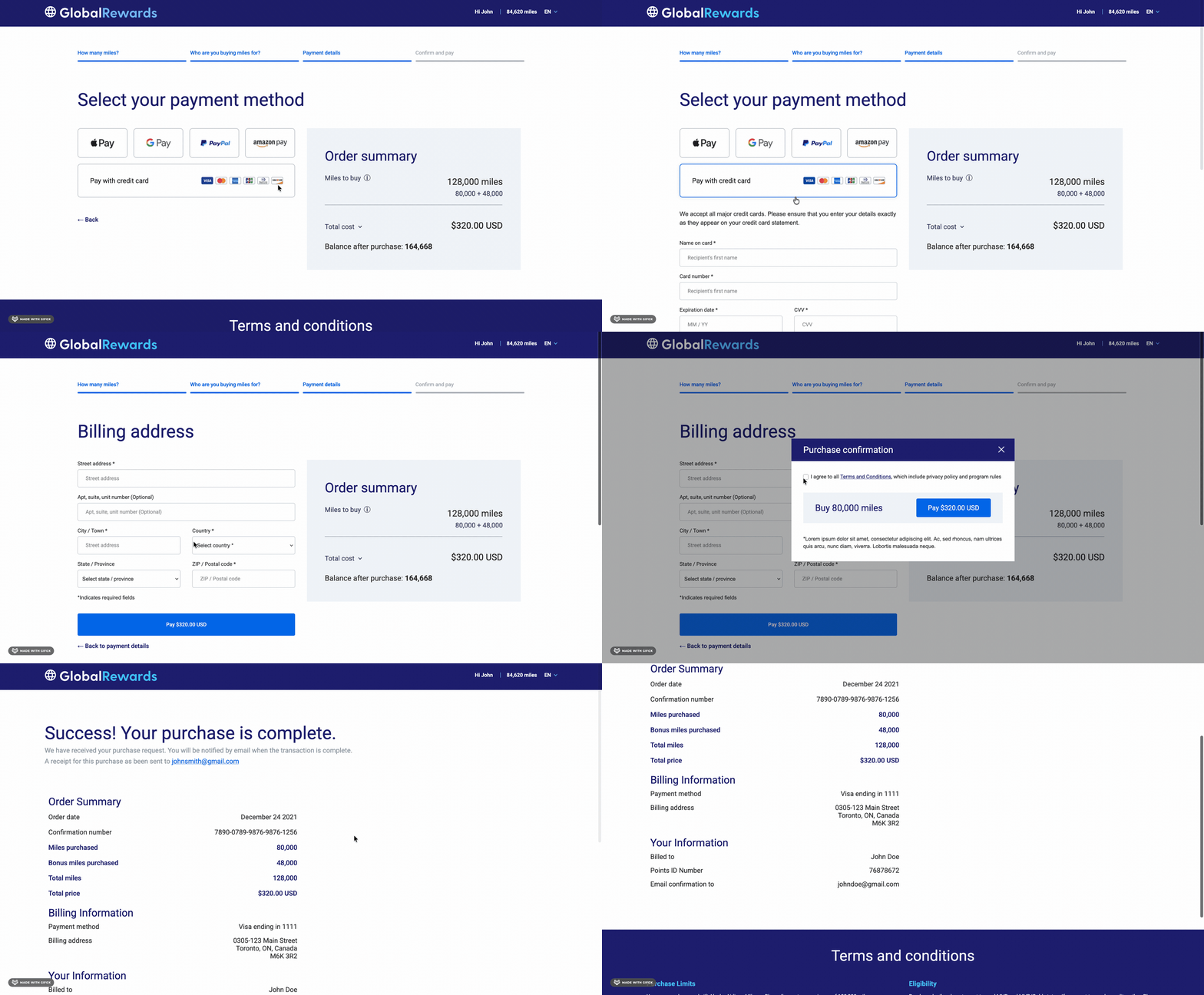
The final prototype takes customers from choosing an amount to confirming their order, with a simple, clear visual design at every step.
Final designs
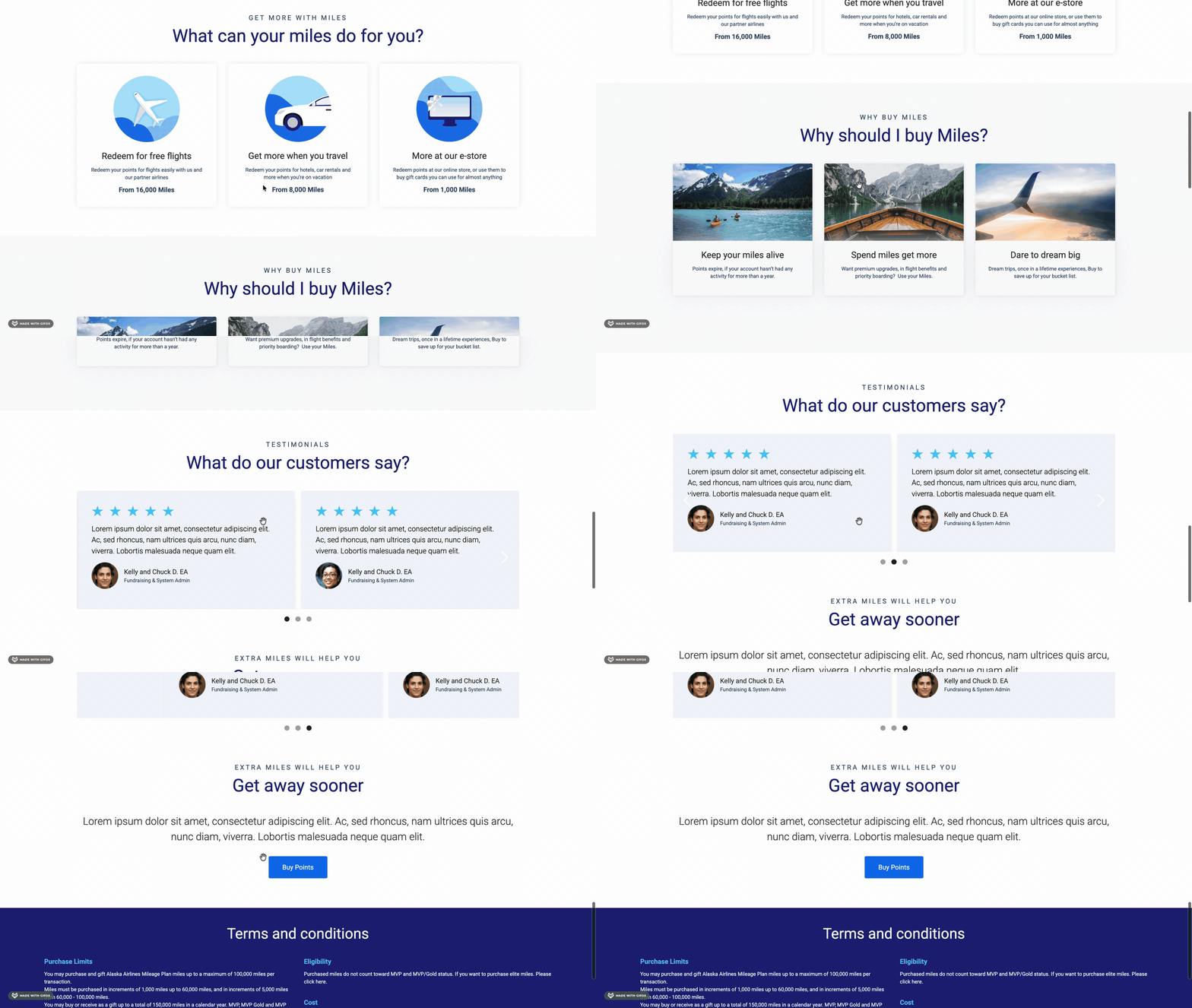
The final prototype takes customers from choosing an amount to confirming their order, with a simple, clear visual design at every step.